Pay a vendor with Send Funds
Pay a vendor in stablecoins straight from your own wallet: choose who and how much, pay now or later, then send the transfer and tell us the transaction hash so we can check it on chain.
Last updated 20 October 2026
Open Send Funds
Send Funds is the second tab of the Move Money drawer, opened from the sidebar or from Single payment on the Direct Payments page. StablRamp never pays on your behalf: you pay a vendor in stablecoins from your own wallet, and we check the transaction on chain and mark the payment paid.
A payment made this way, or imported, is a Direct payment, one of four kinds of payable alongside bills, payroll and expenses. Direct Payments lists every one with its status; Bills: import and pay covers the other common case, a vendor's own invoice.
Choose who and how much
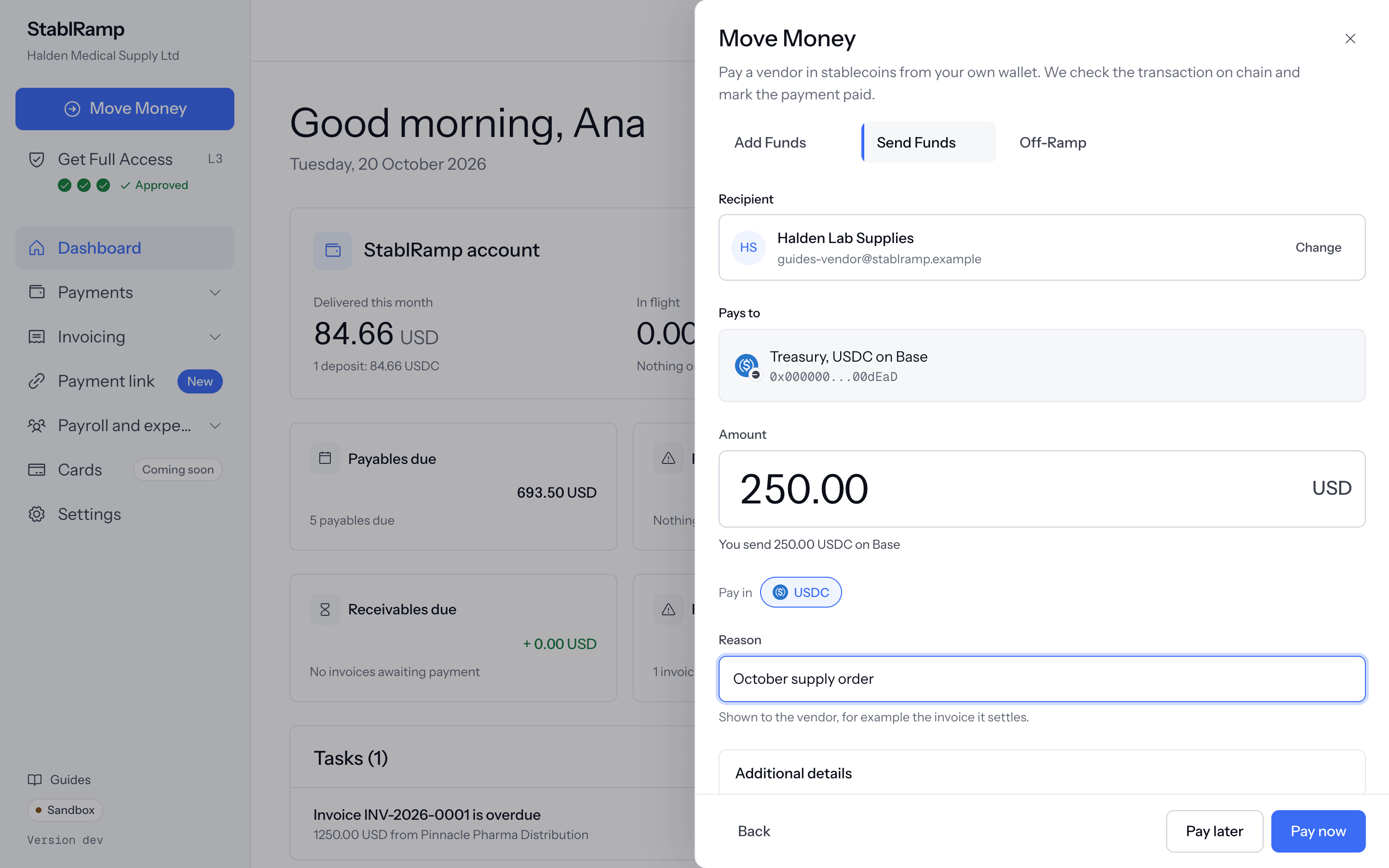
- Under Recipient, search an existing vendor by name or email, or choose Add a new recipient to save one without leaving the drawer.
- If the vendor has more than one payment method, Payment method shows which one is used; Change picks another.
- Enter the Amount. A wallet on a network that takes more than one stablecoin offers a choice of coin; the drawer restates the choice, for example You send 250.00 USDC on Base.
- Add a Reason, shown to the vendor, for example the invoice it settles. Additional details holds an internal Note and Tags, seen only by your team.
A vendor with no payment method yet shows No payment method in the picker; add one by editing the vendor, covered in Vendors and their payment methods.
Pay now or pay later
Pay later saves the payment as a draft to submit when you are ready; the drawer confirms it is saved and offers Open the payment. Pay now submits it at once. Without an approval policy over the amount, submitting moves straight to paying it; with one, the payment waits, and the drawer names how many more approvals it needs and from which role.
Approval policies are covered in full in Approval policies. An account still under our operating review can save a draft but not pay; see Operating approval.
Pay from your own wallet
Submitting a wallet payment opens the pay-from-wallet step: the recipient's address and a QR code of it, and the exact amount to send, each with its own Copy button. Send that amount, on that network, from your own wallet, then paste the Transaction hash into the form and choose Submit hash.
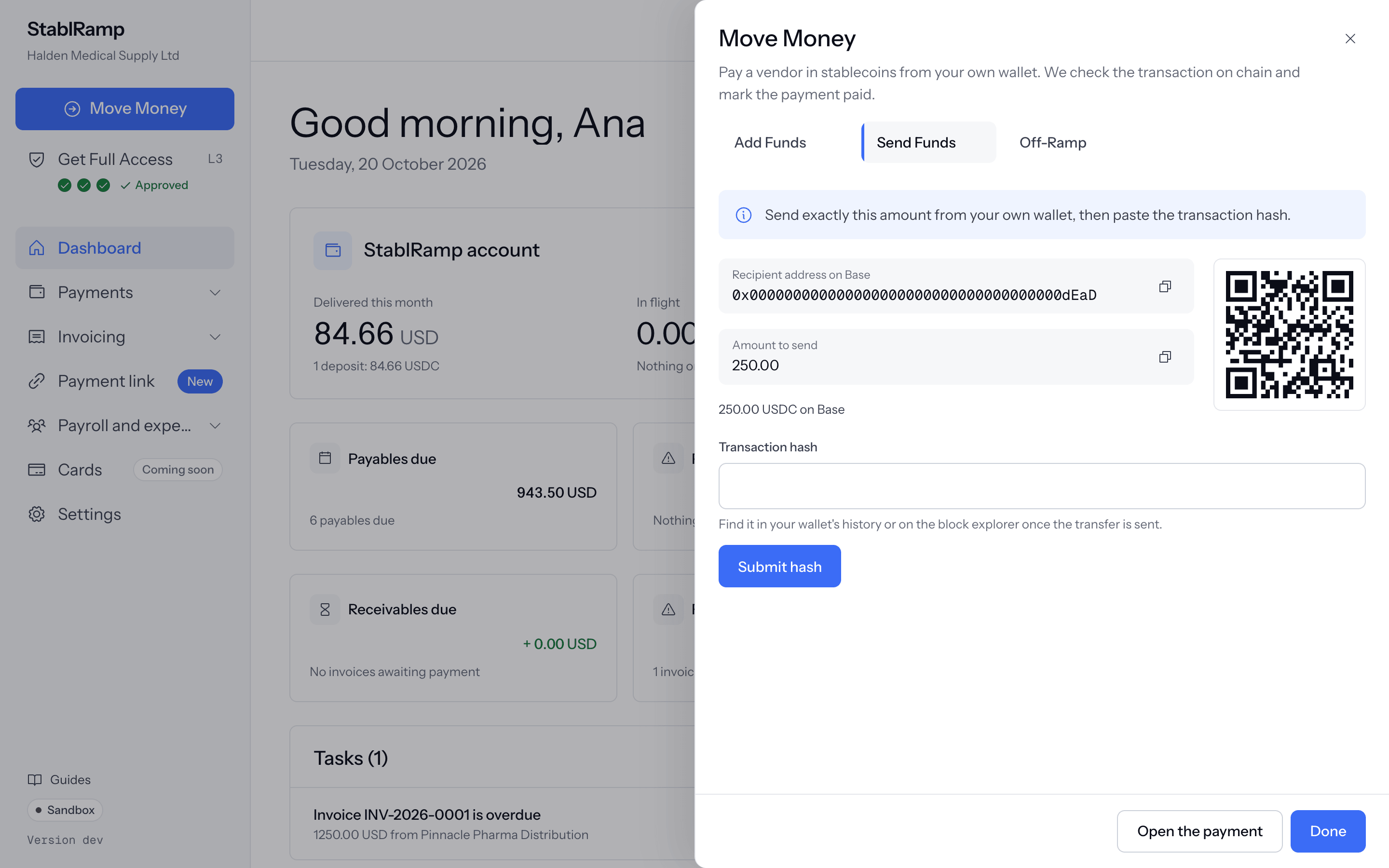
A hash that does not match the network's format is refused before anything is sent to check it. Once accepted, a worker reads the transaction from the network: whether the expected stablecoin reached the vendor's address, for at least the amount due, with enough confirmations behind it. The page checks again every few seconds while this runs.
Verified, or a mismatch
Payment verified: the transaction reached the vendor's wallet, and the payment is paid. A payment that cannot be verified shows the reason in plain words: the transfer did not go to the vendor's address, the amount sent is less than the amount due, the transaction failed on chain, or it was not found on the network in time. Try another hash reopens the form to submit a different transaction.
Sending more than the amount due is never treated as a mismatch; overpayment is recorded and the payment still verifies. A transaction hash can only pay one payable, once, across every organisation on StablRamp.
A vendor paid by bank
A payment to a vendor's bank details is made outside StablRamp: the pay step says so and offers Mark as paid outside StablRamp once the payment is ready to pay. Say How it was paid, for example the bank's own reference, and confirm. The payment reads Marked as paid outside StablRamp. No on-chain check was made., and the document carries that note rather than a verified transaction.