Employees and payroll runs
Add the people you pay a salary, each with a wallet to pay it to, then run payroll for a period and pay the run from your own wallet.
Last updated 20 October 2026
Employees
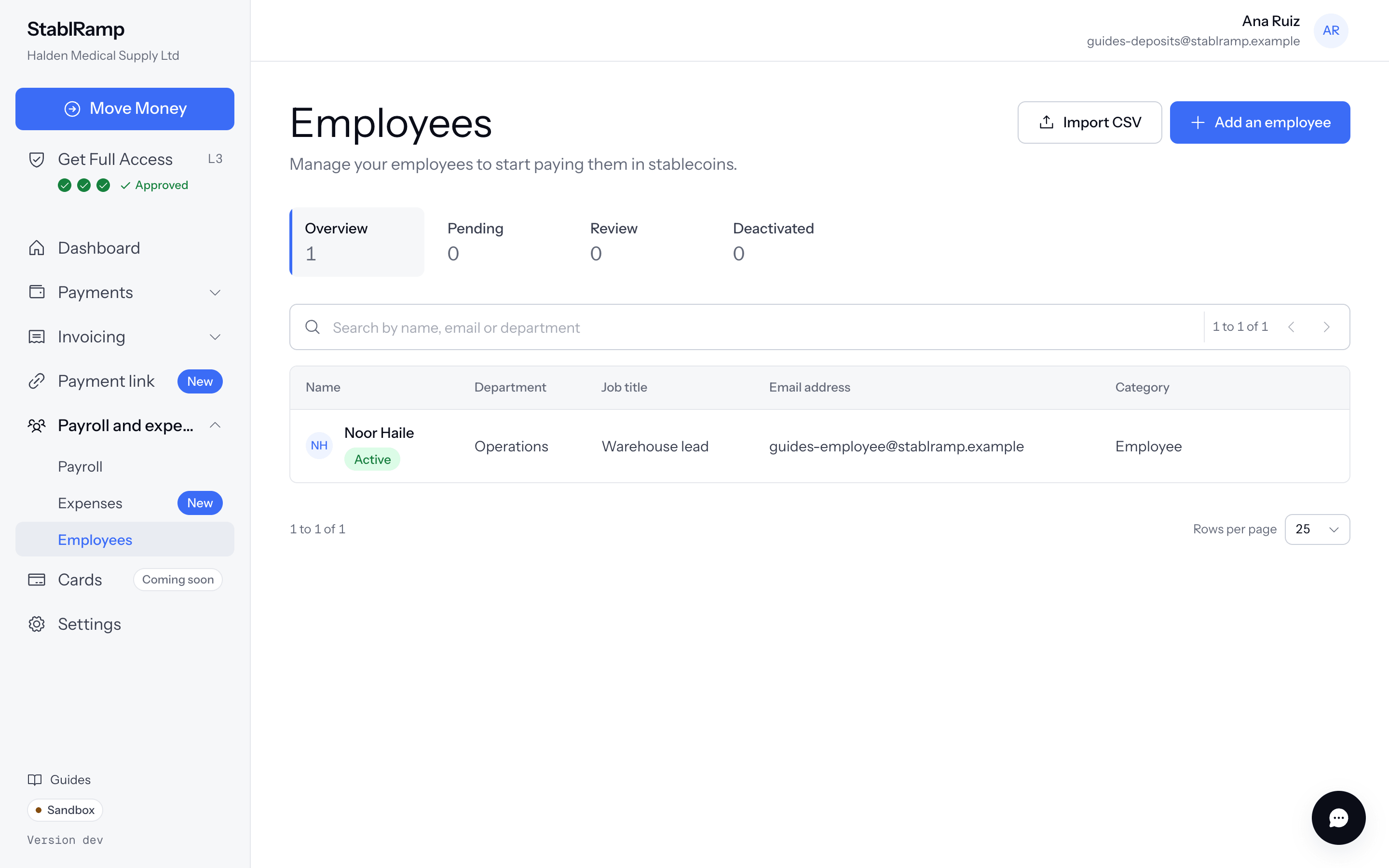
Employees, under the Payroll and expenses group, lists everyone you pay, tabbed Overview, Pending, Review and Deactivated. Add an employee asks for a Full name, Work email, and, if you want them, a Department and Job title, as an Employee or a Contractor.
Under Pay, set the Salary and Pay frequency: Monthly, Every two weeks or Weekly; a regular run pays one month of it. Under Wallet, choose the Network and Stablecoin and paste the Wallet address, where payroll and expenses pay this employee. Active now includes them in the next regular run; left off, they start as Pending.
Who gets paid in a run
A regular run includes every Active employee with a salary and a wallet. One missing either is marked Not included in regular payroll, naming whichever it still needs; off-cycle payments still work regardless. Import CSV adds many at once, with columns for name, email, department, job title, category, salary, pay frequency, network, address and coin.
Run payroll
- Open Payroll and choose Run payroll.
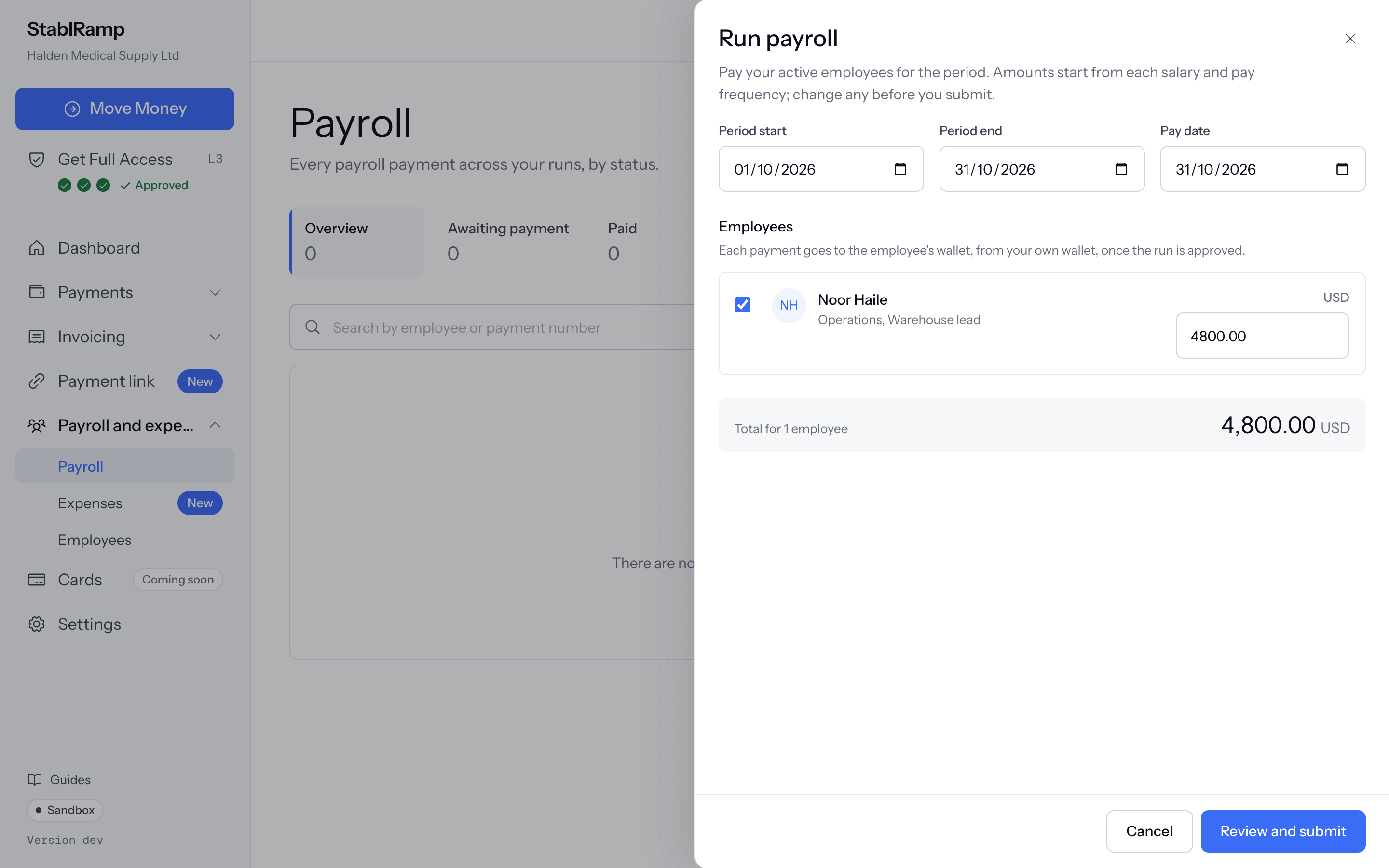
- Period start, Period end and Pay date default to this month; change them if needed.
- Each active employee appears as a row with an editable amount, worked out from their salary and frequency, and a total for the run.
- Choose Review and submit, or Create off-cycle payroll instead for a one-off run with its own amounts, outside the regular schedule.
Payroll's ... menu also offers Upload CSV for an off-cycle run's rows and Download CSV of a run already created.
Approve and pay a run
A run is one payable per employee, approved together under whichever approval policy applies to its total. Its own page reads Draft, Waiting for approval, Ready to pay, or Every payment is paid, with Approve and Reject where they apply. Pay on a row opens the pay-from-wallet step exactly as in Pay a vendor with Send Funds: the address, the amount, then the transaction hash StablRamp checks on chain.
Progress counts how many of the run are paid, for example 1 of 2 paid, and the run itself reads Partly paid until every row is.