Deposit accounts: set up and open
Permanent US dollar bank details whose incoming money is converted and delivered to your own wallet. What you need first, the partner onboarding, and opening a USD account that delivers USDC on Base.
Last updated 19 October 2026
What a deposit account is
A deposit account is how US dollars become stablecoins in StablRamp. It is a set of permanent US dollar bank details in your organisation's name. Our partner issues the details and takes the money in. You send money to them from your organisation's own bank account by ACH, FedNow or wire, and every transfer that arrives is converted by the partner into the stablecoin you chose and delivered to your organisation's own wallet.
StablRamp records each transfer as an order of its own, so you can follow it on Orders. There is no quote to lock and no order reference to copy: the same details keep working for every transfer until you close the account.
| Network | Stablecoins a deposit can be delivered in |
|---|---|
| Ethereum | USDC, USDT |
| Base | USDC |
| Polygon | USDC |
| Arbitrum | USDC |
| Solana | USDC, USDT |
| Tron | USDT |
USD can be opened once the partner has cleared it for your business. Until then the USD card shows Not available yet, Approval pending or Approval withdrawn.
Before you start
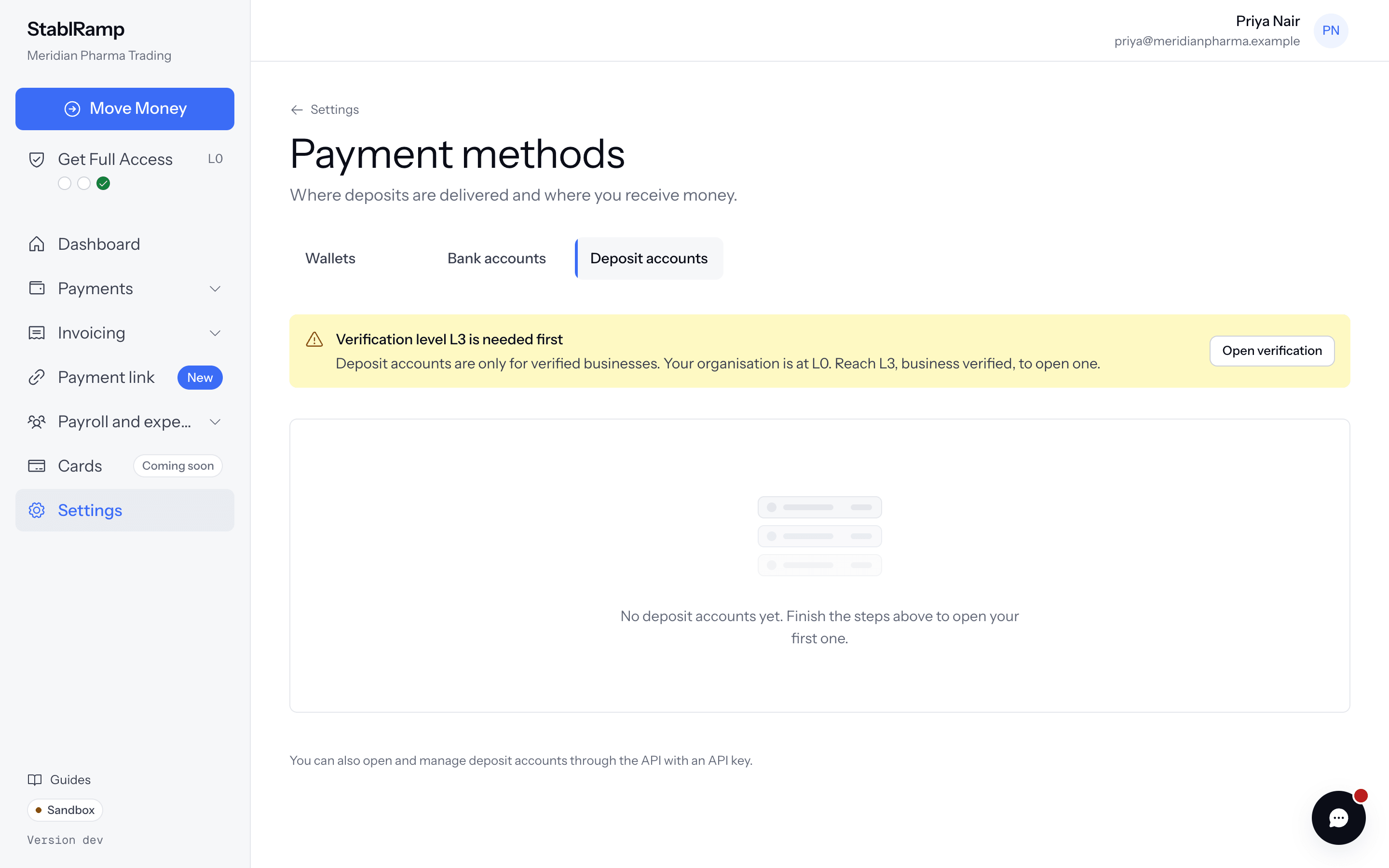
- A verification level high enough for deposit accounts, L3 by default. Below it, the page says Verification level L3 is needed first and links to Open verification. See Verification levels and Get Full Access.
- A wallet beneficiary on a network deposits can be delivered to: Ethereum, Base, Polygon, Arbitrum, Solana or Tron.
- Room for another account. By default an organisation holds at most two accounts that are opening, active or suspended; a closed account does not count. The required level and this cap are settings and can differ.
Complete the partner onboarding
The partner runs its own terms and business checks on top of ours. They start from the Deposit accounts tab of Settings, Payment methods.
- Choose Start the checks.
- Under Finish the checks, open Accept the terms and Complete the business check. Each link opens the partner in a new tab; in the sandbox it may open a simulator that stands in for the partner. Terms and Business check show where each one stands.
- Come back to the page. While Your business is being reviewed is shown, nothing more is needed from you. The page updates on its own when the partner decides.
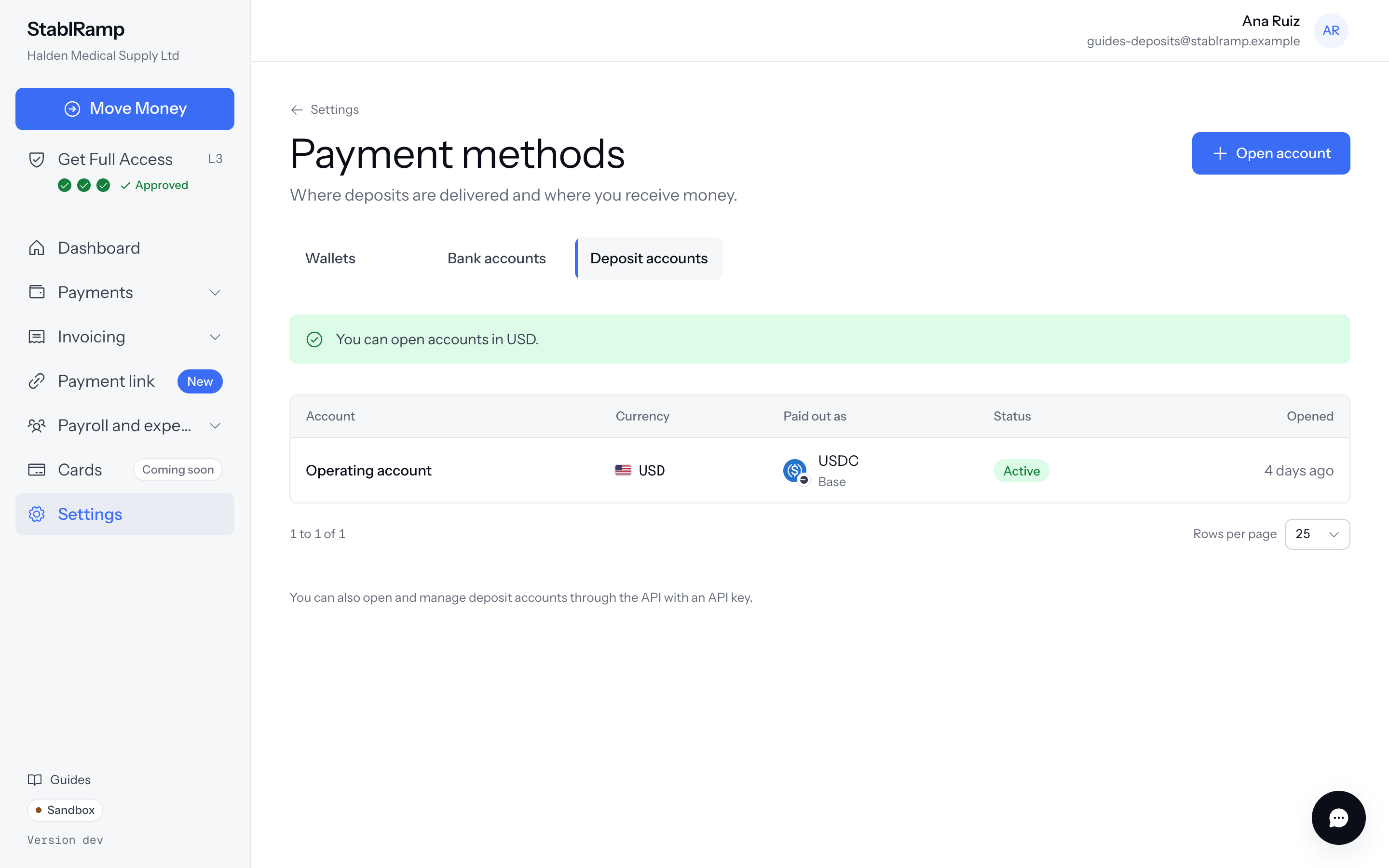
- When the partner approves, the page says You can open accounts in USD., and Open account appears.
If the partner approves the business but has not cleared USD yet, the page says Approved, waiting for currencies. The page updates on its own once USD is cleared.
If the partner declines
The page shows Your application was declined with the reasons it gave. Deposit accounts cannot be opened while this stands: correct the reasons, then contact support to try again.
Open a USD account to a Base USDC wallet
- On the Deposit accounts page, or the Deposit accounts tab of Payment methods in Settings, choose Open account. The same button appears in Add Funds once the organisation is verified.
- Under Currency, choose USD.
- Under Where deposits go, pick your wallet on Base. Asset to deliver offers USDC, the only stablecoin offered on Base.
- Under Name it, enter a Name if you like. Only you see it, and it helps when you hold more than one account.
- Choose Open the account.
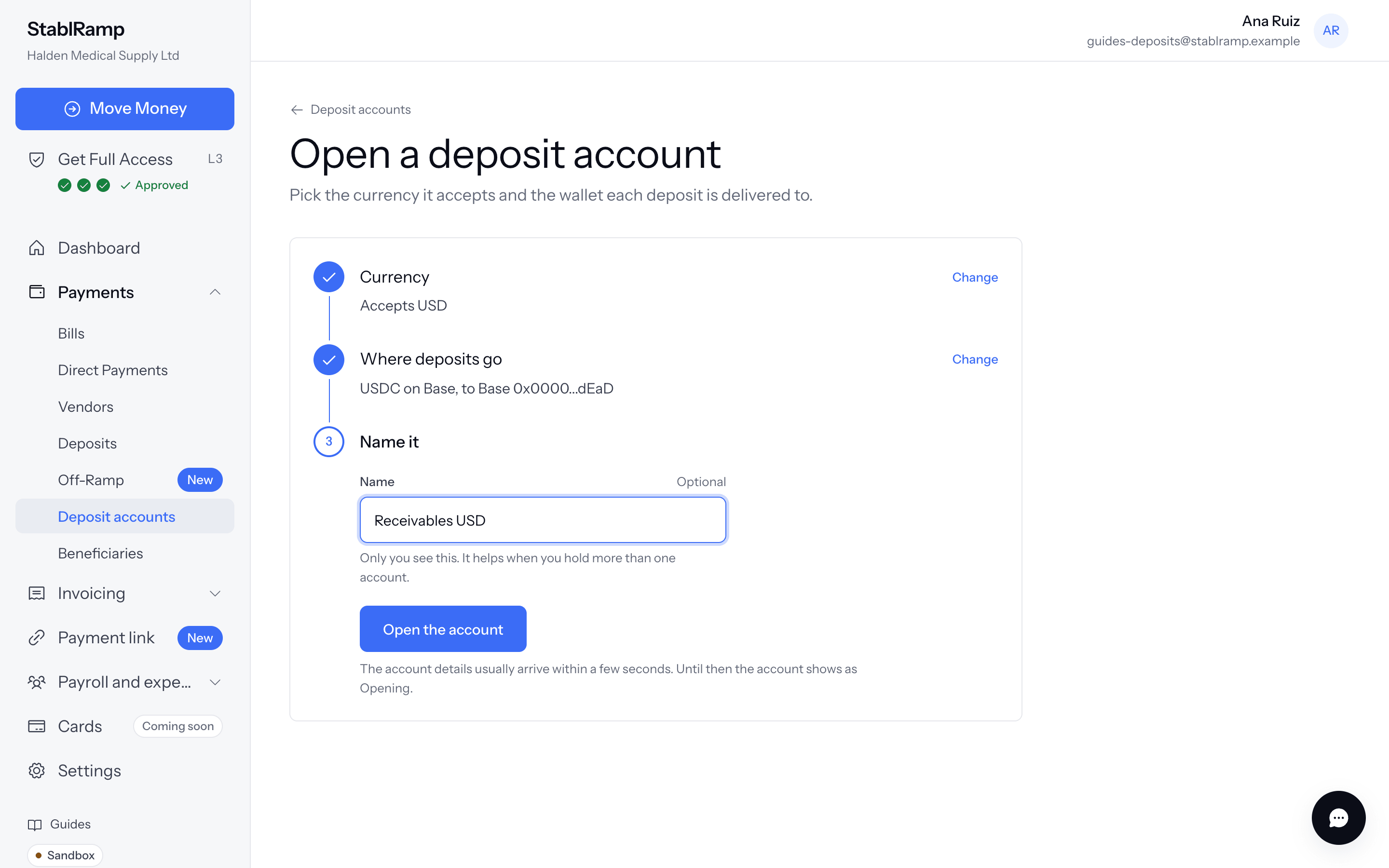
The partner issues the details. Until then the account shows as Opening and its page says the details appear as soon as they arrive. Then read Receive money into a deposit account.
Account statuses
| Status | What it means |
|---|---|
| Opening | The partner is issuing the details. |
| Active | The details accept transfers. |
| Suspended | Stopped on the partner's side. Transfers to these details are refused. |
| Closed | Closed by you, an operator or the system. New transfers are refused. |
| Failed | The partner could not issue the account. It cannot accept money; contact support with the account name. |