Getting help
Reach the support team from the bubble at the bottom right of any page: open a ticket, read the team's replies on the Help page, and attach files once the ticket exists.
Last updated 19 October 2026
The support bubble
A round button sits at the bottom right of every signed-in page, with a chat icon. It carries a count when you have open tickets, and a small dot when our team has replied since you last looked. Choose it to open a panel with two tabs: New message and Your tickets.
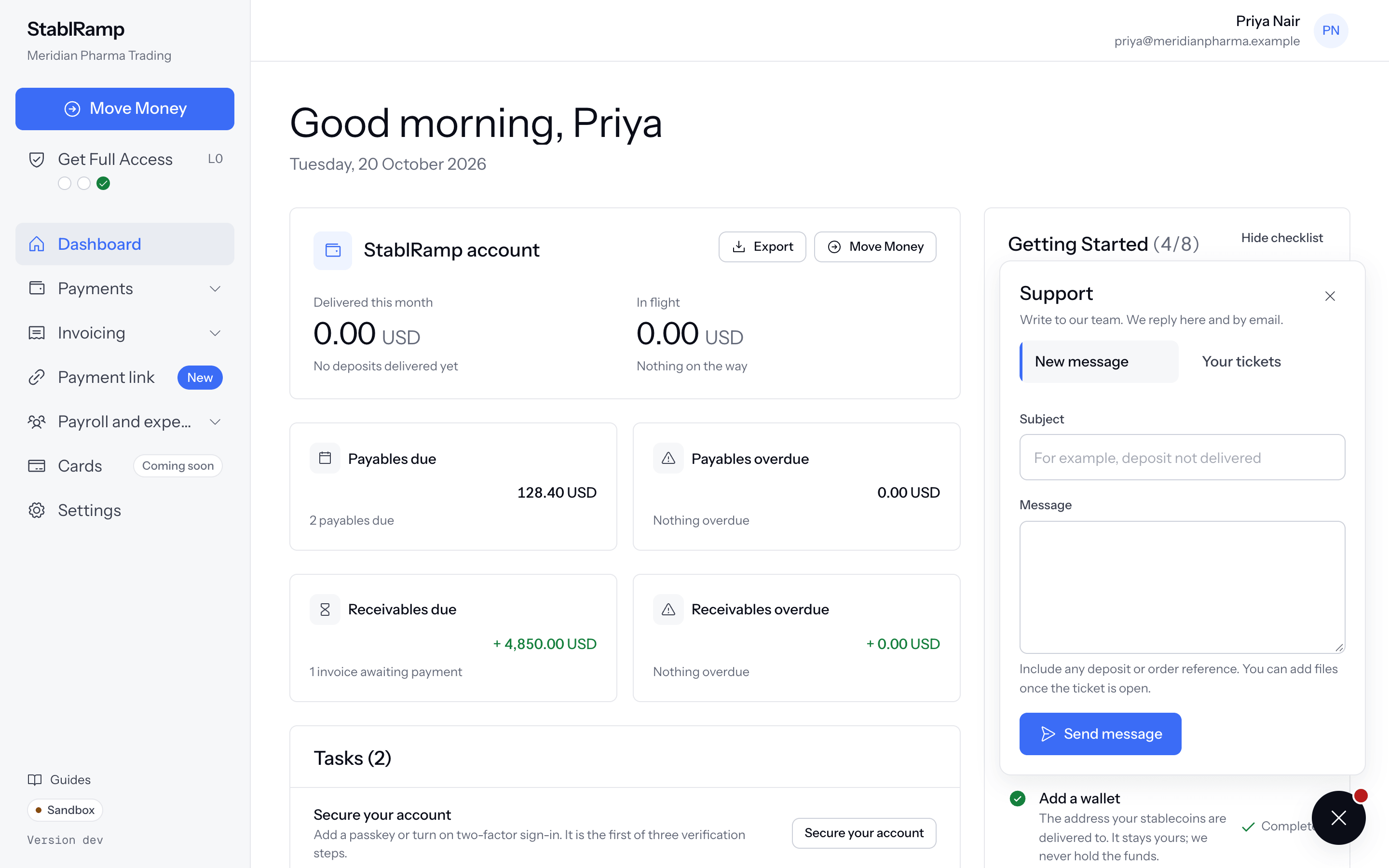
Open a ticket
- On New message, enter a Subject, for example deposit not delivered.
- Write the Message. Include any deposit or order reference; you can add files once the ticket is open.
- Choose Send message.
The panel confirms that the ticket is open and names its number, with our team replying there and by email, and adds To add files, open the ticket and attach them to a reply. underneath. A link to the new ticket sits below that; Write another message clears the form to open a second one.
A subject is at most 200 characters and a message at most 4,000. Opening several tickets inside an hour is met with You have opened several tickets in the last hour. Reply on an open ticket, or try again later. instead of a new one.
Your tickets, from the bubble or the Help page
Your tickets lists your open tickets with a dot on any with an unread reply, its subject, its status and when it last changed; All tickets opens the full list on Help in the sidebar. The Help page itself has Open and Closed tabs over a table of Ticket, Subject, Status and Last update, each row linking to the ticket.
| Status | What it means |
|---|---|
| Open | The team is working on this ticket. |
| Waiting on you | The team is waiting for your reply. |
| On hold | The team is waiting on someone else before it can continue. Your reply still reaches them. |
| Solved | The team marked this ticket solved. |
| Closed | The ticket is closed. |
Read and reply to a ticket
A ticket's page shows About this ticket (its number, status and dates, plus any order or deposit account it is linked to) above Conversation, your messages and the team's replies in order, each marked You or with the agent's name and Support.
Write your Reply, add up to five files at 10 MB each (PDF, PNG, JPEG, CSV or plain text) with Attach files, and choose Send reply. A reply on a solved or on-hold ticket reopens it. A closed ticket has no reply box: it tells you the ticket is closed and gives the support email address for anything new.
Switch Reply from support on under Notifications so a reply reaches your inbox as well as the Help page.