Your payment link
A page where anyone can pay you an amount they choose, by bank transfer or in stablecoins, with no invoice to send first.
Last updated 20 October 2026
Create a link
Payment link, in the sidebar after the Invoicing group, lists the payment links you have published. Create link asks for a Page heading, for example Pay Meridian Pharma, a Link address of 3 to 32 lower-case letters, digits and dashes (four characters are added if it is taken), and, if you want one, a Message shown under the heading.
Under Ways to pay, choose Stablecoins to a wallet, USD bank transfer to a deposit account, or both, then which wallet or deposit account each one pays into. Publishing a link needs our team's operating approval, the same as sending an invoice.
What a payer sees
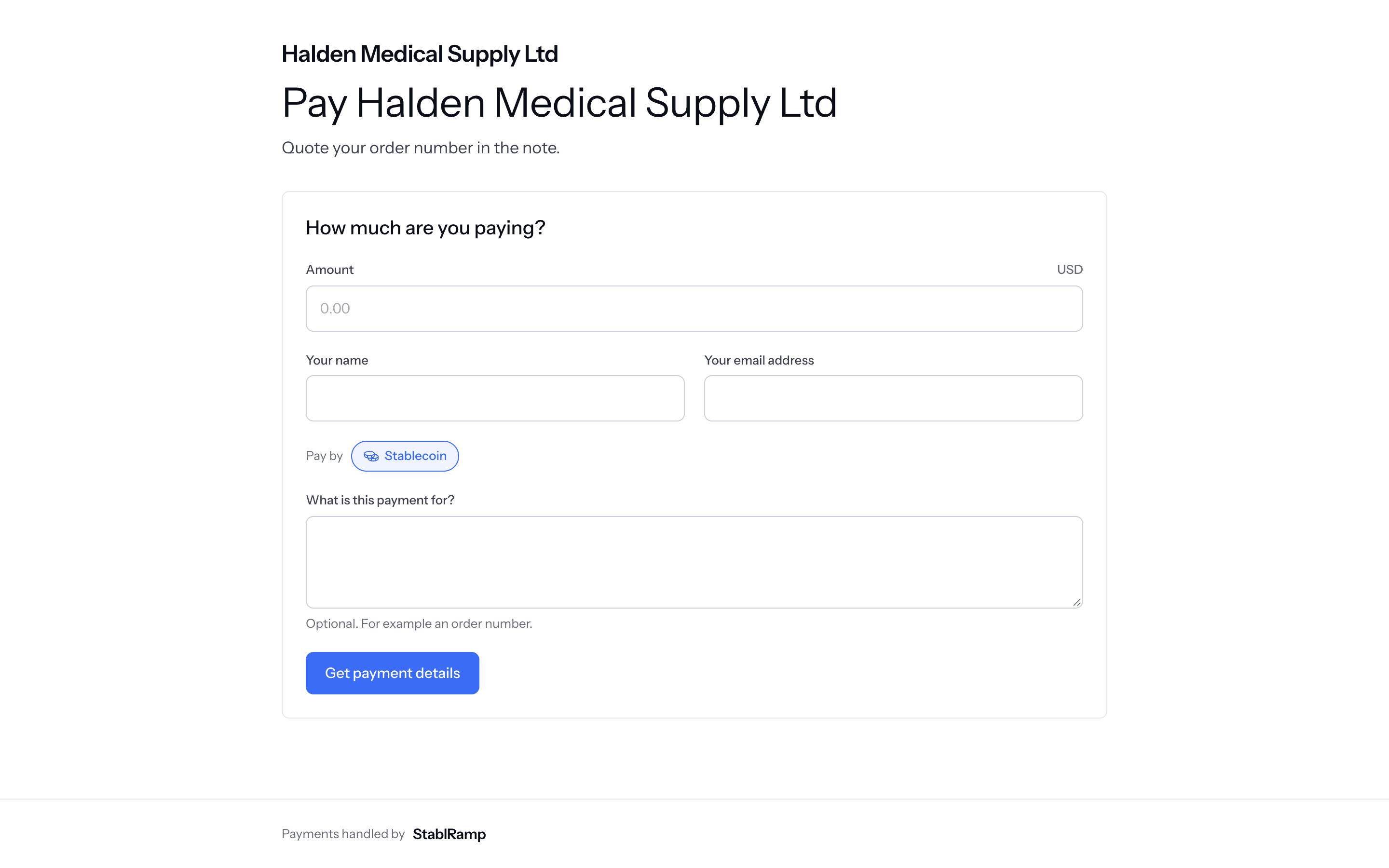
Opening the link shows your heading and message, with How much are you paying? No sign-in is needed. The payer enters an Amount, Your name, Your email address and Pay by, and, if they want, what the payment is for, then chooses Get payment details.
Your payment details gives everything needed to pay: the wallet address, network and amount with a QR code for stablecoin, or the deposit account's bank details and Your reference to quote for a bank transfer. The details are held for the payer only until they expire.
Requests
Every submission through the link is a request, and the link's row counts how many it has had. A transfer that arrives matching a request's amount and reference is matched to it automatically, the same way an expected deposit is matched to a deposit.
Status on the link's row reads On or Off; switching it Off stops it taking new requests, and a payer who still opens it sees This payment page is switched off. It is no longer taking payments. Ask the organisation for another way to pay.