Pay stablecoins out to your bank with Off-Ramp
Convert USDC or USDT from your own wallet to US dollars paid to one of your saved US dollar bank accounts: choose the account and amount, send the coins to the address shown, and follow the payout until it is paid out.
Last updated 20 October 2026
How Off-Ramp works
Off-Ramp is the third tab of the Move Money drawer. You send stablecoins from your own wallet to an address our banking partner holds for one of your bank accounts; the partner converts them and pays the US dollars to that account by wire or ACH. StablRamp never holds the coins or the dollars.
Off-Ramp opens once your business is verified and approved to operate, and once our partner has cleared it, the same checks as for deposit accounts. Until then the tab lists the step still to do; see Verification levels and Operating approval.
Save a bank account
- In the Off-Ramp tab, under Bank account, choose Add a new bank account. The same form opens from Settings, Payment methods, Bank accounts, with Add bank account.
- Give it a Name for this account, say whether a business or a person holds it, and enter the Name on the account exactly as the bank has it.
- Enter the Bank name, the 9-digit Routing number and the Account number, choose checking or savings, and choose Paid by: wire, in real time, or ACH, processed once a day.
- Enter the account holder's street address, in any country, with the street number and no PO Box, then choose Save bank account. The account itself must be a US dollar account with a US routing number.
We register the account with our partner straight away. Only the last four digits are kept; the full numbers go to the partner and are never shown again.
Create a payout
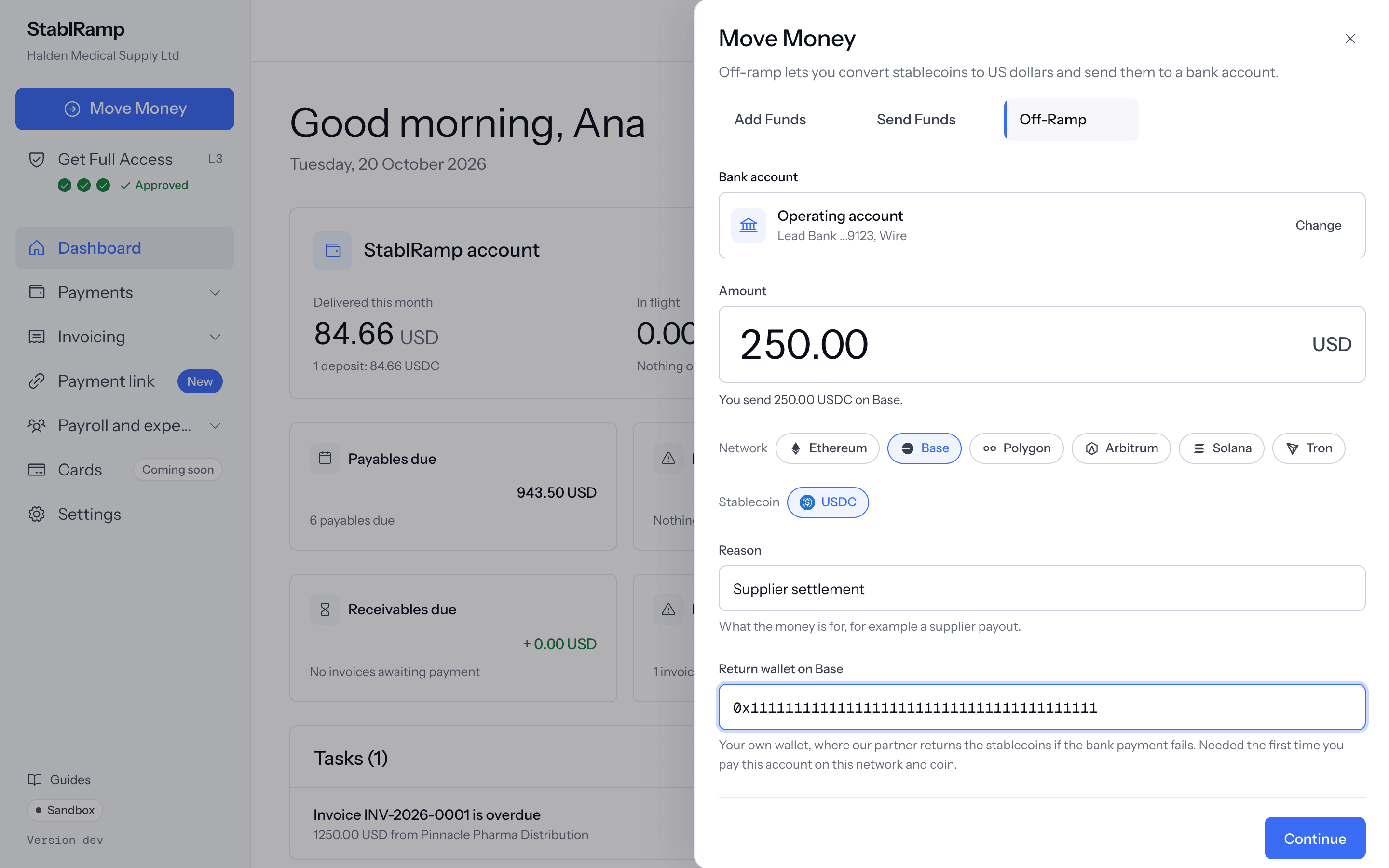
- Choose the bank account and enter the Amount in US dollars. Stablecoins convert one to one, so the drawer restates it, for example You send 250.00 USDC on Base.
- Choose the Network and the Stablecoin you will send. Each pair has a smallest payout set by our partner, 1 USDC on every network, 1 USDT on Solana and 5 USDT on Ethereum and Tron; a smaller amount is refused.
- Add a Reason for your team. The first time you pay an account on a network and coin, fill in Return wallet on Base, or on the network you chose: your own wallet, where the partner returns the coins if the bank payment fails.
- Choose Continue.
Send the stablecoins
The drawer shows the payout's Reference, the payout address with a QR code, and the exact Amount to send, each with a Copy button, with what goes to your bank before partner costs and our fee. Send exactly that amount of that coin on that network from your own wallet, then choose I've sent it. A transaction hash is optional and helps match your transfer.
Only the coin and network shown
The address converts only the stablecoin and network it was created for. Anything else sent to it cannot be recovered. The address is permanent: a later transfer to it is still paid to the same bank account.
Follow the payout
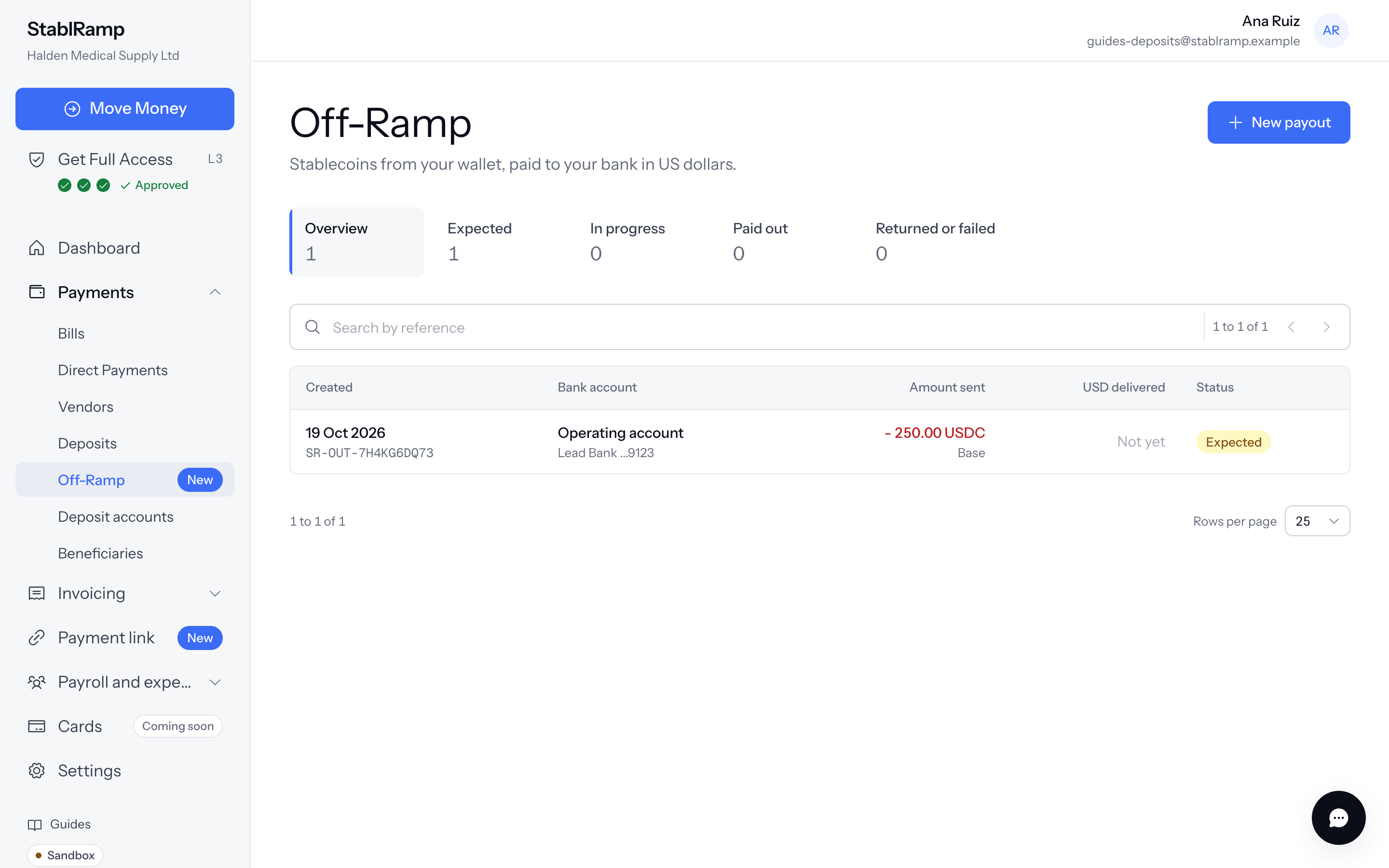
The status updates by itself every few seconds: our partner receives the coins, converts them and sends the dollars to your bank, then the payout is Paid out with the amount delivered. Off-Ramp under Payments in the sidebar lists every payout, with tabs for Expected, In progress, Paid out and Returned or failed; open one for its amounts, fees, transaction details and history.
| Status | What it means |
|---|---|
| Expected | Created, waiting for your stablecoins. |
| Received | Our partner has the coins. |
| Converting | Converted and sent to your bank. |
| Paid out | The partner reports the dollars paid. |
| Returned | The bank payment did not complete; the coins go to your return wallet. |
| Failed | Our partner could not pay it. |
| Cancelled | You cancelled it before sending. |
While a payout is Expected, Cancel payout in its menu cancels it. Only cancel if you have not sent the coins.