Receive money into a deposit account
Read the account details, send money the way the partner accepts it, follow each deposit in the history, understand the fees, and close or reopen the account.
Last updated 19 October 2026
Read the account details
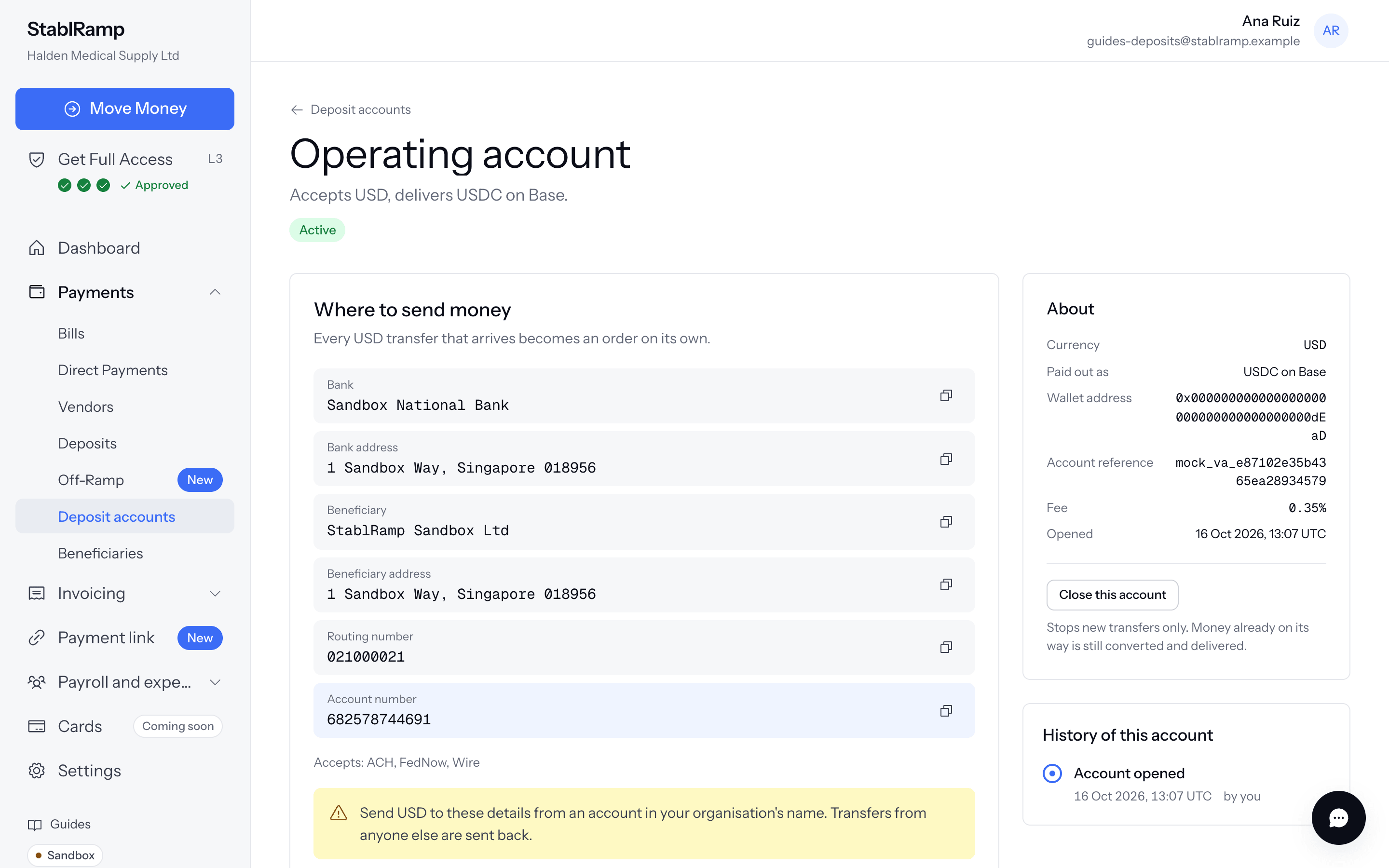
Open the account from Deposit accounts. Where to send money lists the details your transfer needs, one row each with a Copy button. The highlighted row is the one the sender must get exactly right. For a USD account the rows are Bank, Bank address, Beneficiary, Beneficiary address, Routing number and Account number, with a line under them listing the rails the partner accepts, such as Accepts: ACH, FedNow, Wire.
Send money
- Send from a bank account in your organisation's own name. A transfer paid by another name is flagged to our team.
- Use one of the rails on the Accepts line, and copy the highlighted row exactly.
- Keep the order reference the account page shows for each deposit if you need to ask about it later.
Test a new account with a small transfer first, for example 10 USD, and wait until its history shows Delivered before you send larger amounts.
How long a transfer takes depends on the rail and on your bank and the partner, not on StablRamp. A deposit shows in the history as soon as the partner reports it: On its way first for some rails, then Received.
Flagging the transfer first with I've sent the funds in Add funds with Move Money is optional, but its reference helps us match the deposit the moment it arrives rather than only once it is delivered.
What the history shows
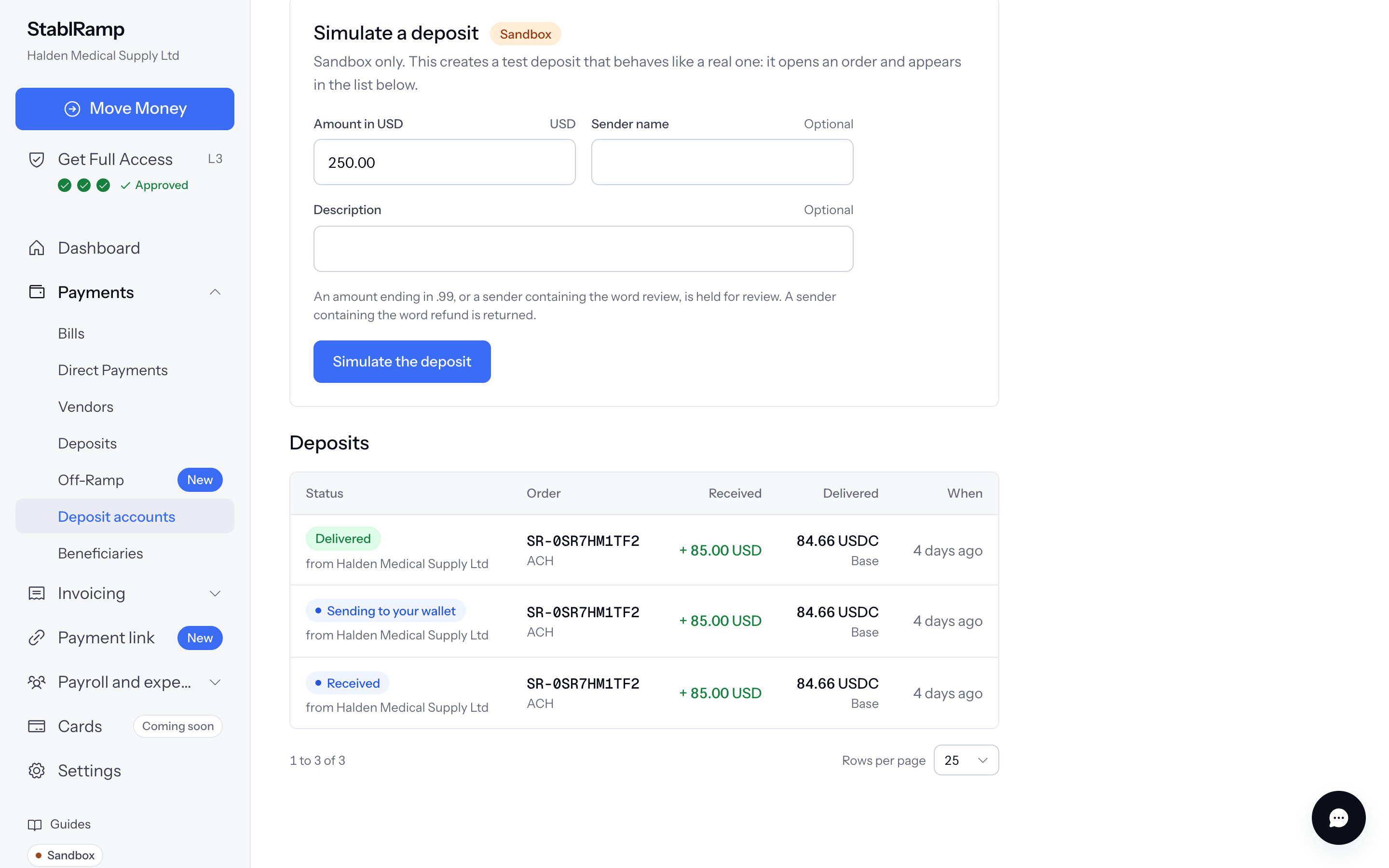
Deposits lists each step of every deposit, newest first. One transfer produces several rows as it moves: On its way, Received, Sending to your wallet and Delivered, or In review, Refunded or Failed. Each row shows who sent it, the order it belongs to with its SR- reference, the amount Received, the amount Delivered with its network, and when.
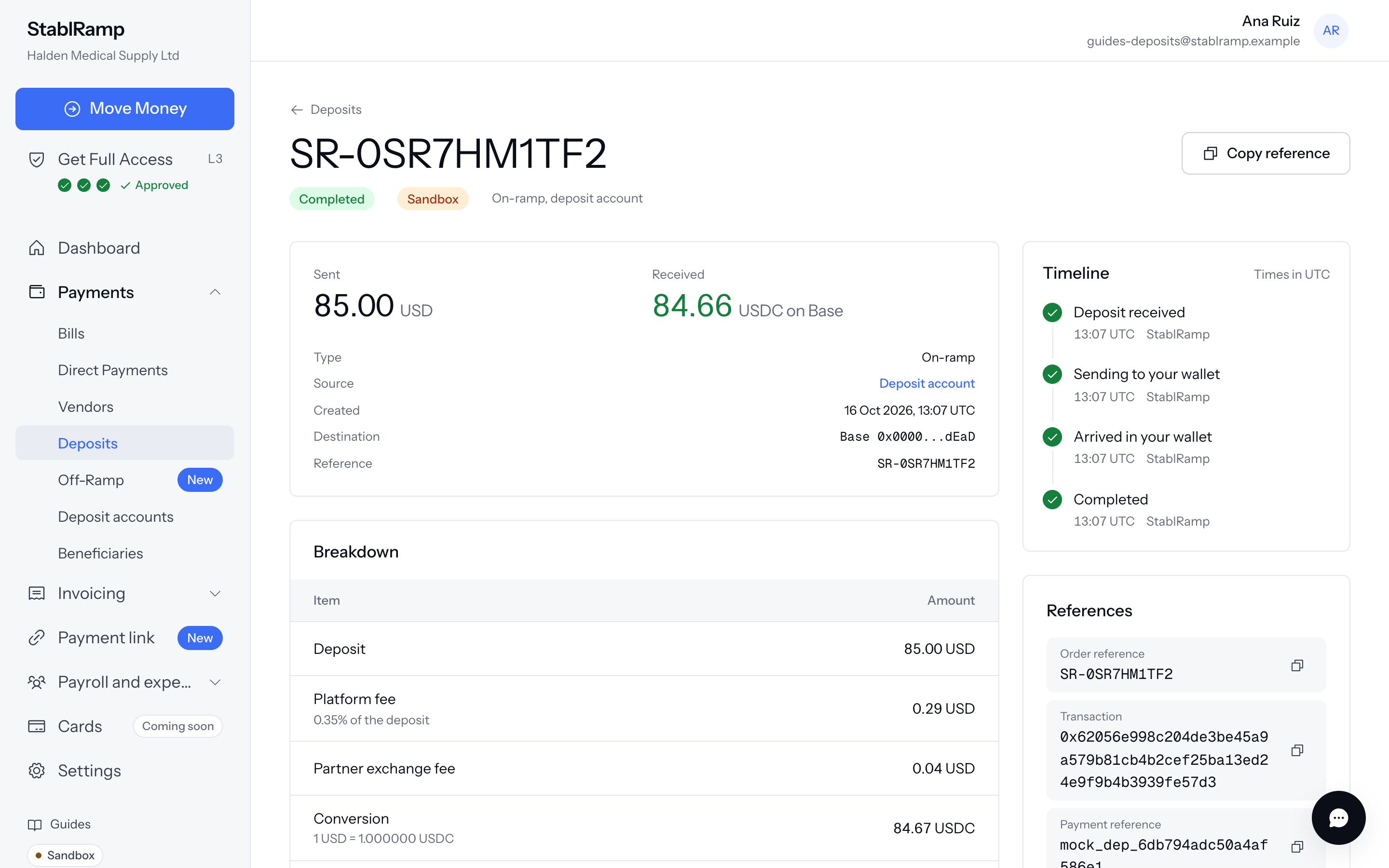
The order shows Source as Deposit account, with a link back. It has nothing to fund: the partner already took the money in.
Switch on Deposit delivered under Notifications to hear about each one by email as well.
Fees
The Fee row on the account's About card is the StablRamp fee for that account, as a percentage of each deposit. The partner deducts it before delivery, together with its own exchange fee and the network fee, so Delivered is lower than Received. The order shows the partner's final amounts once the payment is processed.
Reviews and closing the account
StablRamp holds a deposit for review when it is above 100 USD by default, when the partner reports it in review or refunded, or when your limits require it. The partner delivers that money regardless, so a hold protects the next transfer: by default the system also closes the account, and History of this account shows Account closed by the system. The threshold and the closing are settings and can differ.
You can close an account yourself with Close this account, which asks you to confirm. It stops new transfers only; money already on its way is still converted and delivered. Reopen this account makes the same details accept transfers again. If the system closed it and you do not know why, contact support before reopening.
Sandbox deposits
In the sandbox, an active account has a Simulate a deposit form. An amount ending in .99, or a sender containing the word review, is held for review; a sender containing the word refund is returned. A simulated deposit above the review threshold is held, and closes the account, like a real one. Orders delivered by the partner's sandbox carry a Sandbox tag: no real money moved.