Approval policies
Decide who approves a bill or a payment before it can be paid, above which amount, and how many people have to agree.
Last updated 20 October 2026
What a policy controls
Approval policies, under Settings, decide who approves a payment before it is paid, and above which amount. When a bill or a payment at or above a policy's amount is submitted, it waits for the approvals that policy asks for before it can be paid. Without a policy, a submitted payment can be paid straight away.
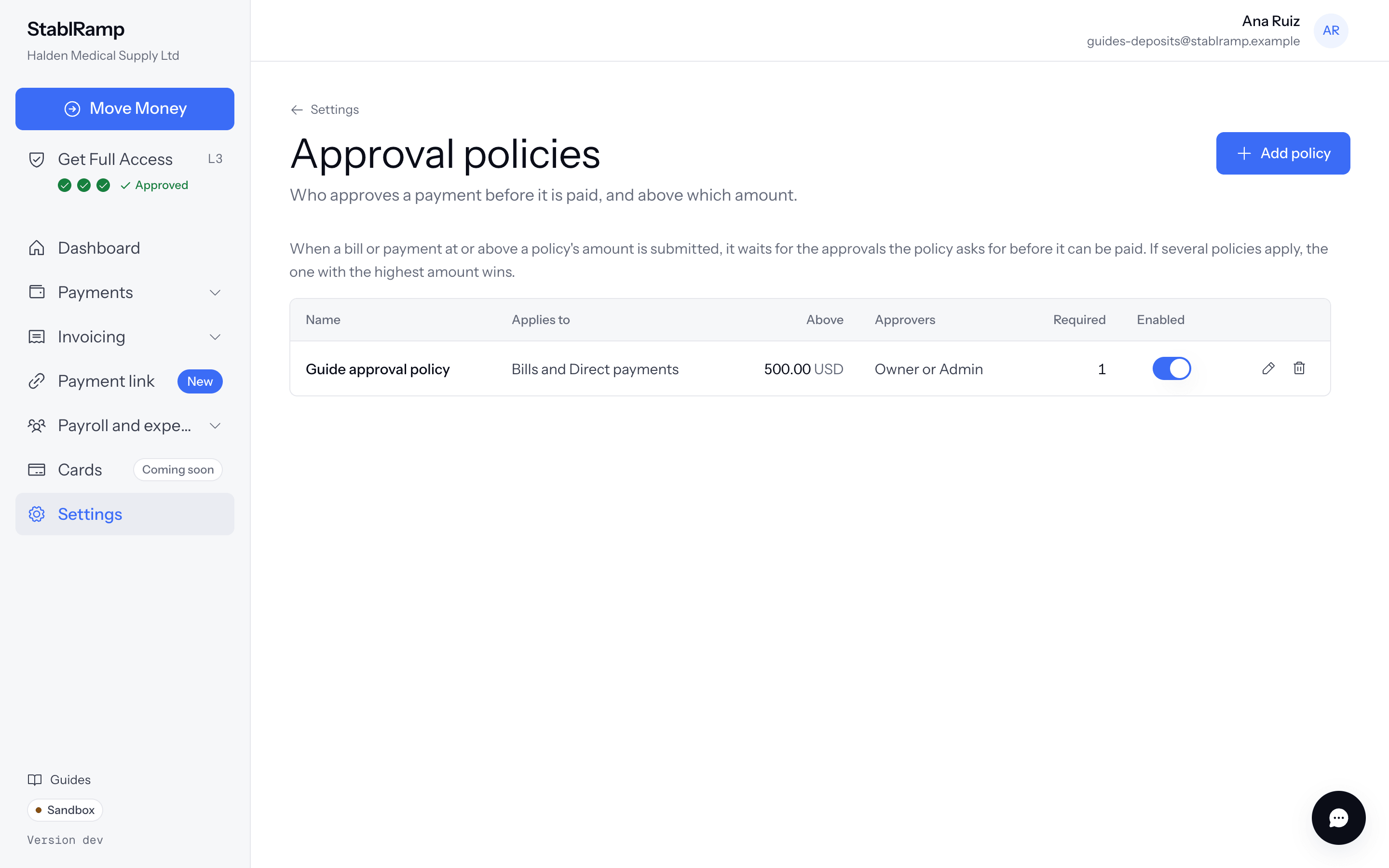
Only owners and admins add or change a policy; anyone else sees Owners and admins manage approval policies. Ask an owner or an admin of your organisation to add or change a policy.
Add a policy
- Choose Add policy, then a Name, for example Large supplier payments.
- Applies to picks which kinds of payable the policy covers: bills, direct payments, payroll, expenses, or all of them.
- Above sets the amount in US dollars the policy starts at; 0 covers every payment of that kind.
- Who can approve picks the roles allowed to approve: owner, admin or member. Approvals required sets how many different people must agree.
- Allow self-approval lets the person who submitted a payment also approve it. Leave it off to always need a second person.
- Choose Save policy.
Enabled keeps a policy active; switching it off keeps the policy but stops it applying to anything newly submitted. A payment or a batch already waiting for approval under a policy keeps that policy even after it is disabled or deleted.
Which policy applies
A payable can match more than one enabled policy. Among those whose kinds include it and whose currency matches, the one with the highest threshold at or below the amount is the one that applies; the others are ignored for that payable.
How approvers are told
Submitting a payable under a policy emails every approver the policy names, and the payable shows Needs 1 more approval before it can be paid., or names the role still needed. Approving or rejecting emails the person who submitted it. A batch is approved as one, so its approvers get a single email for the whole batch rather than one per row.
Anything waiting for your approval also appears as a task on the dashboard, so an approver does not have to go looking for it.
Switch off or delete a policy
Toggle a policy's Enabled switch directly from the list. Delete asks you to confirm: the policy stops applying to new payments, but payments already waiting for approval keep the policy they were submitted under. With no policies at all, every submitted bill or payment is ready to pay as soon as it is submitted.