API keys and scopes
Create machine credentials for your organisation, choose only the scopes an integration needs, store the secret once, and revoke keys you no longer use.
Last updated 19 October 2026
What a key is
An API key acts for the organisation it was created in, with a set of scopes and an expiry date. Every teammate sees the organisation's keys on Developers, under Settings, and any role can create one. Webhooks are not available yet.
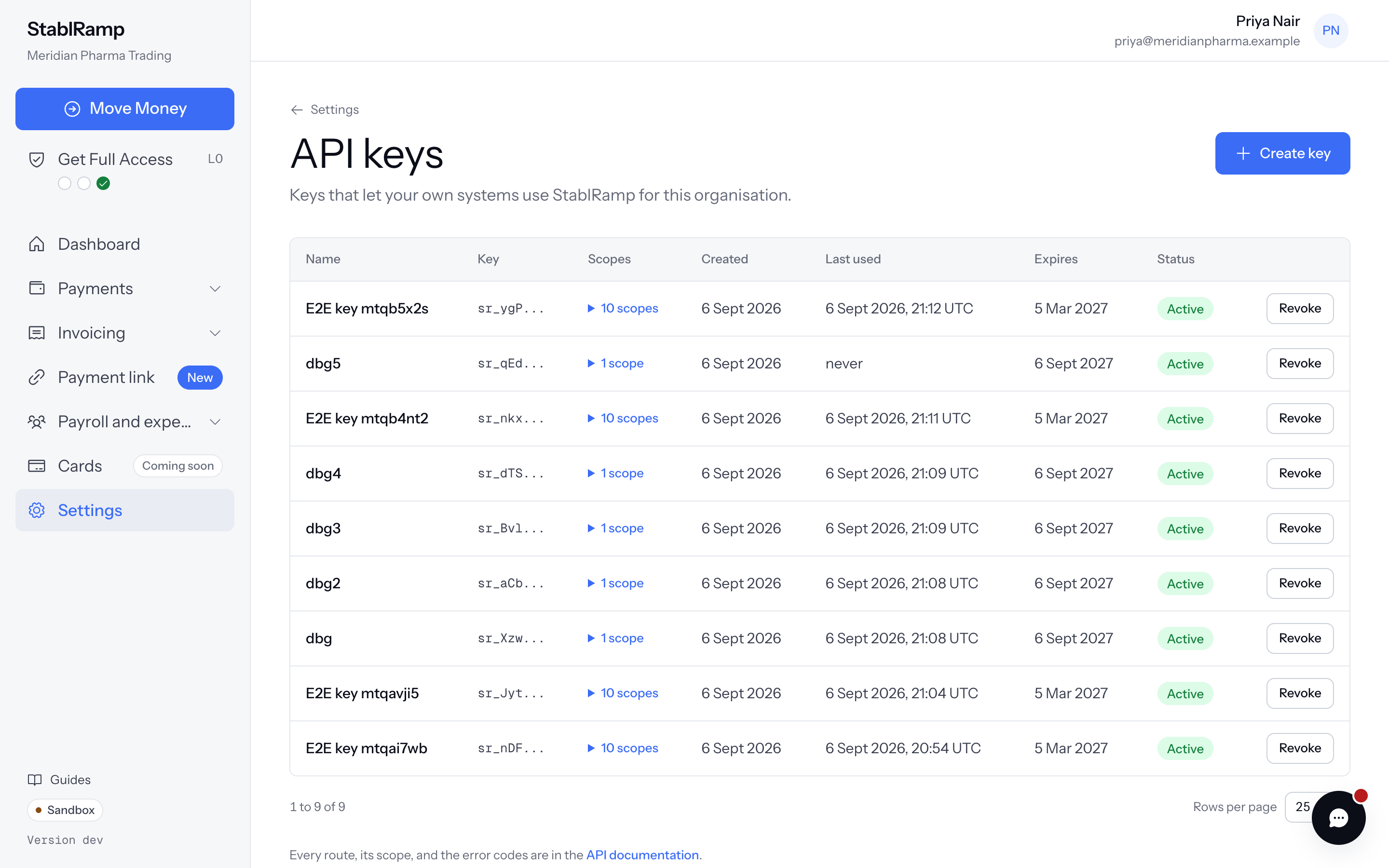
Create a key
- Choose Create key.
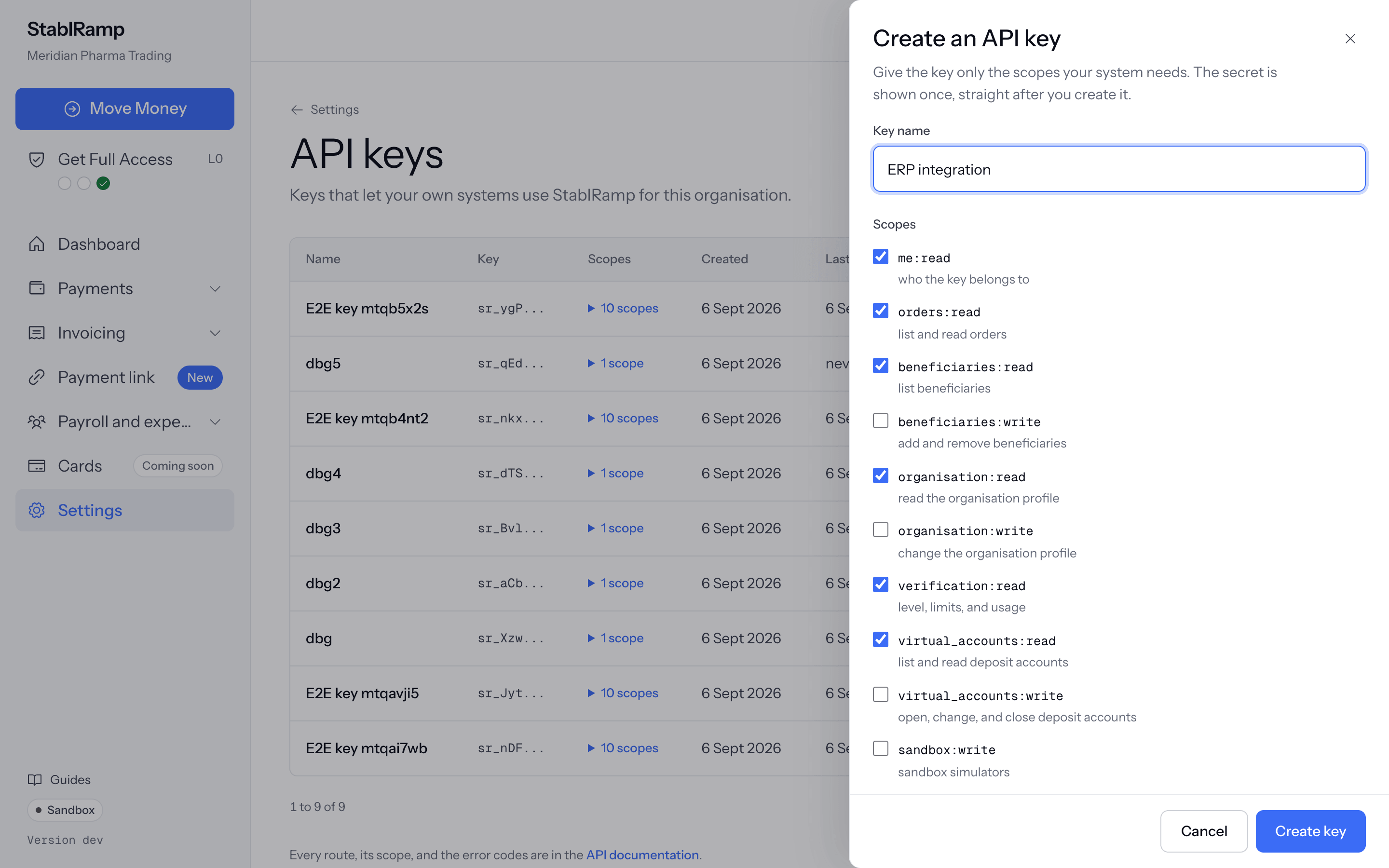
- Enter a Key name that says what uses it, for example ERP integration.
- Under Scopes, keep the read scopes that are ticked by default or narrow them, and tick any write scope the integration needs.
- Under Expires after, choose 180, 365 or 730 days. 365 is preselected.
- Choose Create key.
The secret is shown once
After creation the page shows the key with Copy key. Store it in your secret manager before you choose I have stored it; it cannot be shown again. Send it as the x-api-key header on every request.
Scopes
A write scope does not include the matching read scope. An integration that opens deposit accounts and then reads them needs both virtual_accounts:write and virtual_accounts:read.
| Scope | Allows |
|---|---|
me:read | Who the key belongs to. |
orders:read | List and read orders. |
beneficiaries:read | List beneficiaries. |
beneficiaries:write | Add and remove beneficiaries. |
organisation:read | Read the organisation profile. |
organisation:write | Change the organisation profile. |
verification:read | Level, limits and usage. |
virtual_accounts:read | List and read deposit accounts. |
virtual_accounts:write | Open, change and close deposit accounts. |
sandbox:write | The sandbox simulators. |
support:read | Read support tickets and their messages. |
support:write | Open and reply to support tickets. |
expected_deposits:read | List and read expected deposits. |
expected_deposits:write | Record and cancel expected deposits. |
dashboard:read | Read the dashboard summary. |
In the API, deposit accounts are called virtual accounts and live under /v1/virtual-accounts; the notes behind Add funds with Move Money are expected deposits, under /v1/expected-deposits.
Revoke a key
In the keys table, choose Revoke next to the key, then Confirm revoke, or Keep to change your mind. A revoked key stops working at once and is removed from the table. A member revokes the keys they created; owners and admins can revoke any key of the organisation, and Revoke shows only on the keys you may revoke. Revoke a key as soon as it is no longer used or may have leaked, and create a new one for the integration.
API documentation
Every route, the scope it needs, and the error codes are in the API documentation, linked at the foot of the API keys page. Some write routes require an Idempotency-Key header, for example POST /v1/virtual-accounts; the documentation marks each one.